Campaigns, launch posts and demos are only as accurate as the people behind them. GuidedRole trains your marketers inside your own web application, in guided steps on its test site, so they use a feature themselves before they write about it.
14-day free trial· No payment details· Works in Chrome
Assigned pathOn track
Launch: Payment links3 required lessons · due 30 Oct2/ 3Passed
Assessment 3.2Passed
90.7/ 100 · pass line 80
Accuracy
63.0 / 70
Time
18.6 / 20
Actions
9.1 / 10
The cost of guessing
When marketing guesses, customers notice.
Few of these mistakes are careless. They happen when people describe a feature they have never used, from a brief, a roadmap slide or an old screenshot.
A campaign promises what the product does not do
The copy is written from the brief, before anyone has used the release. Customers sign up for a feature they cannot find, or one that works differently.
The cost: Disappointed sign-ups, and support tickets that start with an apology.
A demo stalls on a screen nobody practised
The presenter opens a part of the product they have only seen in slides, in front of a prospect.
The cost: The prospect remembers the hesitation.
Launch messaging describes last quarter’s product
Screens, names and flows change with every release. Posts, help articles and screenshots written from memory fall behind.
The cost: Customers follow steps that no longer match what they see.
Sales and support repeat the mistake
A wrong claim moves from the campaign into sales decks, help replies and partner material.
The cost: Several teams spend time correcting one mistake.
Why it matters
Product fluency is a marketing skill.
Marketers who have done the work in the product describe it precisely, demo it calmly and put each feature on the right plan.
Each feature, guided and hands-on
Marketers practise each task in your course on your test site, in guided steps on the real screen. Most steps complete when the page shows the result.
The customer’s view
Lessons can end on the pages your customers see, such as a public listing, and an assessment can reopen the saved page to check it is public.
Positioning that matches the product
Claims in a campaign, a launch post or a demo script come from what people did in the product themselves.
Plans and what each one unlocks
A lesson can walk through your plan comparison and the places where your product offers an upgrade, so pricing pages and campaigns put each feature on the right plan.
test.yourapp.com/records
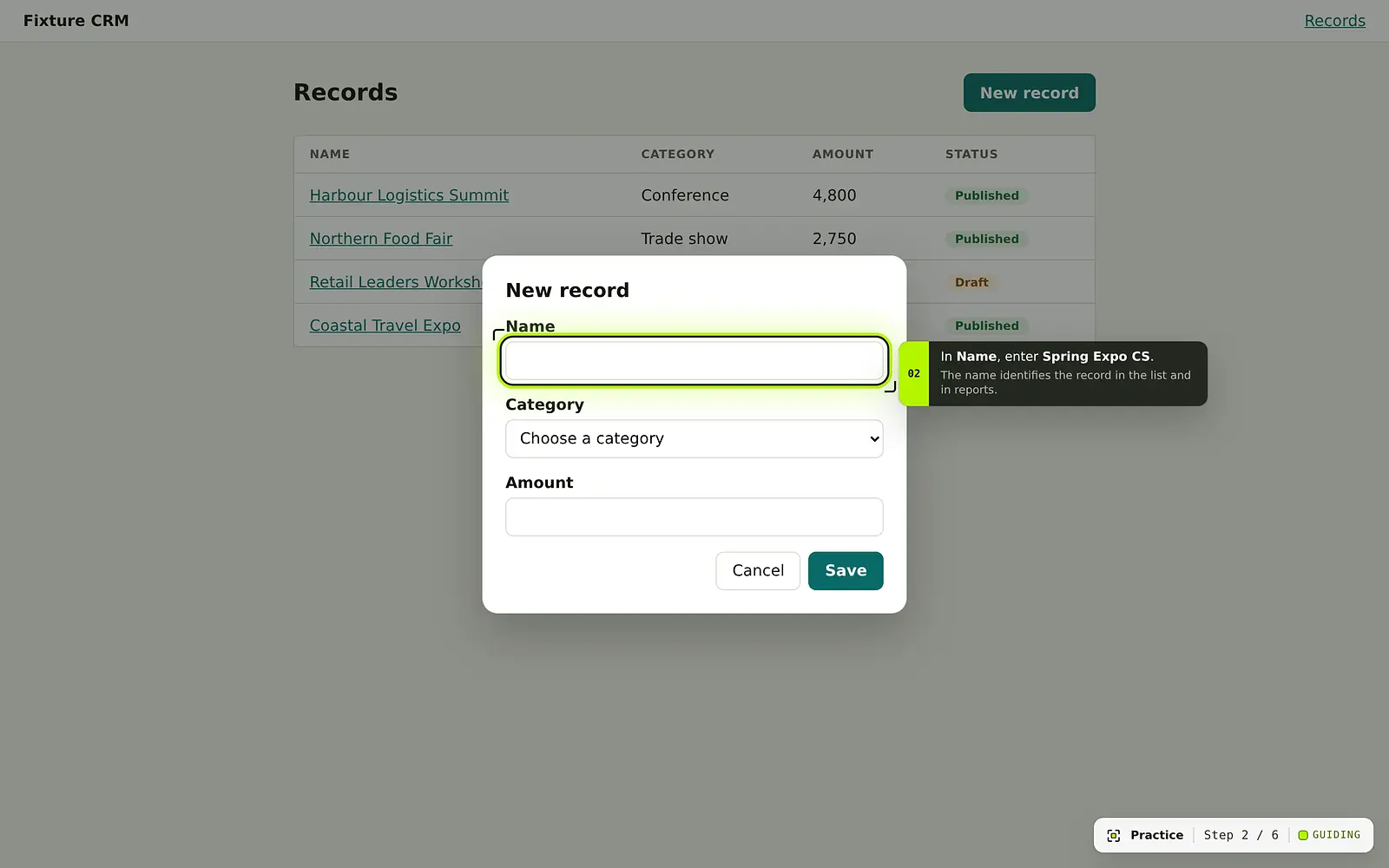
Guided practice runs on your test site. GuidedRole points; the learner does the work.
The people who announce a feature should have used it first. GuidedRole assigns the lessons to the marketing role, checks the work and shows you who is ready.
Launch readiness
From a product change to a role-ready marketing team.
Courses are versioned with your product, so a release can bring its own lessons. This is how a change reaches your marketers as soon as the release is published.
Step 1: The course update is drafted from the product change.
An AI coding agent reads the change in your application’s source code, read-only, and writes the new and changed lessons with their assessments. FasterApps builds and updates courses for you, so nobody on your team has to record or write lessons.
Validated automatically
Tried on your test site with the extension
Imported as a draft release
Course releasesCustomer portal
v0.5.0Draft
Made available by FasterApps · 16 OctValidated on the test site · no warnings · Not assigned until published
v0.4.0Published
Published by Hannah Ortiz · 30 SepValidated on the test site · no warnings · Used by 24 learners
v0.3.1Retired
Published 12 Sep · retired 30 Sep by Hannah OrtizValidated on the test site · Results are kept
02
Step 2: Publish it, then give the launch a path for the marketing role.
A workspace admin reviews the draft in Curriculum and publishes it; the previous release is retired. The admin then puts the new lessons in a path with a training role, such as marketing. Saving the path assigns it to everyone who holds that role, with its required and optional lessons and a due date.
The launch path, saved after v0.5.0 was published and assigned to 6 people automatically.
03
Step 3: Assessments show they can do it.
Each lesson has an assessment with an outcome-only brief: no steps, no hints and no Guided Mode. With the default scoring, a pass needs 80 points and every critical outcome. Outcomes are observed on the page, or verified by reopening the saved page in a background tab, so a page that should be public is checked on the test site’s public page.
Assessment 3.5Passed
Send a payment link
95.1/ 100 · pass line 80
3:44 active · 31 actions
C1 Payment link sent for invoice INV-2041 (Met)Critical
Observed on page 01:58
35 / 35
C2 The customer’s payment page shows USD 1,280 (Met)Critical
Verified by reopening
30 / 30
C3 Reminder scheduled for 7 days later (Met)
Observed on page 02:41
20 / 20
C4 Finished on the invoice page (Met)
Observed on page 03:44
15 / 15
04
Step 4: Launch with people who have done it.
Completion by path shows how many have finished the launch path, how many are still practising and how many have not started. Every attempt keeps the course release it was taken on, so results stay clear after the next release.
Completion by path6 learners
Launch: Payment links3 required lessons4 of 6
4completed2in progress0not started
Marketing essentials8 required lessons1 of 6
1completed4in progress1not started
Sample data from a demo workspace.
Fast-track and track
Onboard marketers faster. See who is ready.
Give the marketing training role its own paths. New marketers get their lessons from day one, and you see each person’s progress, retakes and results.
Paths by training role
Invite a marketer with the marketing training role and their paths are assigned automatically, with required and optional lessons and a due date.
Retakes that build skill
People can practise again and retake any assessment. Every attempt is kept with its score, so improvement is easy to see.
Results per person
Each attempt shows which outcomes were met and the accuracy, time and action points behind the score.
Overdue and stuck, flagged
The overview lists people who are overdue, have not passed after three attempts, were interrupted or have not started, most pressing first.
A marketing lead can follow along with the trainer role: trainers see learners, results and technical issues, and can close technical issues, but do not change paths, releases or settings. Step-by-step timelines open only for owners and admins, and each opening is recorded in the audit log.
Learners · Marketing essentials6 people
LHLena Hoffmann8 / 8 lessons passed
CompletedPath completed
AMArjun Mehta6 / 8 lessons passed
On trackDue 30 Oct
GTGrace Taylor5 / 8 lessons passed
On trackDue 30 Oct
RKRavi Kapoor4 / 8 lessons passed
Needs attentionRepeated attempts without a pass
RDRosa Delgado2 / 8 lessons passed
OverdueDue 15 Oct
JQJasper Quinn0 / 8 lessons passed
Not startedJoined 12 Oct
Results · Grace Taylor2 attempts
2.3 Publish and update a price
Attempt 215 OctPassed92.5
Accuracy
70.0 / 70
Time
15.1 / 20
Actions
7.4 / 10
Attempt 113 OctNot passed52.5
Critical outcome missed: customers see the new price. Time and actions count only when every critical outcome is met.
Sample data from a demo workspace.
Guided Mode · Enterprise
Guided Mode answers while they practise.
Guided Mode is an AI assistant powered by Kimi, from Moonshot AI. During practice it answers from your course’s knowledge articles and the lesson and step in progress, and points at the control it is talking about.
Show highlights the control on the page, so nobody hunts for it.
Off during assessments, so results show what people do without help.
An AI notice appears before the first question.
Within your workspace, conversations are private to each learner. Staff see only how many questions are asked per topic.
Included in the Enterprise plan. Admins can turn it off.
What does the customer see when the payment link arrives?
GuidedRoleKimi · 2 sources
An email with the invoice total and a Pay invoice button. To see the same page your customer will, open Preview as customer on the invoice before you send the link.
On screen
1Preview as customerShowing
Sources
Payment linksWhat customers see
Sample data from a demo workspace.
Launch with a role-ready marketing team that has used the product.
Start a 14-day trial, or talk to us about a course for your own application. FasterApps builds it and keeps it current with your releases.